We Put Our Etsy Sales on a Desk Dial (and Learned What "After Fees" Really Means)
Checking your sales means opening the Etsy app, tapping through to Stats, and getting pulled into messages and orders on the way. So we tried something different for our own shop, VARO Industries: a small round touchscreen on the desk that shows the number and nothing else.
What the Dial Shows
The dial is a Waveshare ESP32-S3-Touch-AMOLED-1.75: a 1.75-inch round AMOLED screen with a tiny computer behind it. It sits on WiFi and refreshes every minute. Tap it and it steps through four views:
- Today — orders and income since midnight.
- This month — the running total for the calendar month.
- This year — year to date.
- To ship — orders waiting to go out, with the next ship-by date. It turns amber when one is due today and red when one is overdue.
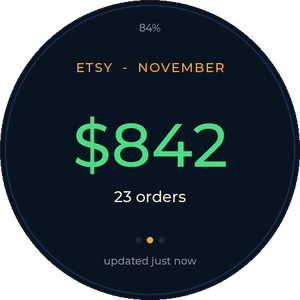
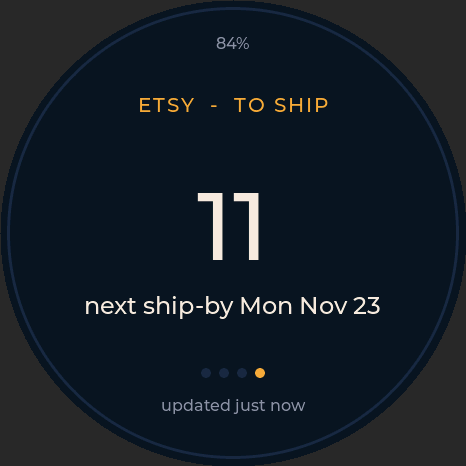
Press and hold to refresh right away. If you would rather have one dial per view, each one can be locked to Today, Month or Year.
What Counts as "Income"
This took more thought than the screen did. What a buyer pays is not what you earned, because part of it was never yours:
- Sales tax and VAT. Etsy collects it from the buyer and sends it to the state. It is not your income, even though it is in the order total.
- Small state delivery fees. A few states add a flat retail delivery fee to the order. Etsy collects and remits that too. On our orders it showed up as a mystery 28–31 cents that made the totals not add up.
So the dial's gross is: item prices, minus discounts, plus shipping and gift wrap, on orders that weren't canceled or fully refunded, minus any partial refunds. That's the money that is genuinely yours before fees, and it's the dial's default number.
"After Fees" Is Bigger Than You Think
There's a switch to show income after Etsy fees instead. Getting that number right meant reading the payment account ledger, the list of every charge and credit Etsy posts to your shop. The fees on one order are the easy part:
- the transaction fee on the item price, and again on the shipping you charge;
- the payment processing fee.
Those two are what most sellers think of as "Etsy fees." But the ledger also carries charges that aren't tied to any one order:
- Etsy Ads, billed daily whether or not anything sold that day;
- Offsite Ads fees on sales that came from Etsy's ads elsewhere;
- listing and auto-renew fees — 20 cents at a time, adding up quietly;
- subscription fees if you're on Etsy Plus, with credits that come back the other way.
Put them together and "after fees" can sit well below what you'd guess from the per-order fees alone. Watching it live taught us two things:
- A slow day can look terrible after fees. The Etsy Ads charge lands every day; sales don't. Month and year are the honest views for judging whether ads pay for themselves.
- Postage is its own question. Shipping labels bought through Etsy also come out of your balance, but they're a cost of shipping, not an Etsy fee. So the dial keeps them separate, with a second switch to subtract them too.
If you've only ever looked at the per-order fee breakdown, open your Payment account and look at a month of ledger entries. It's eye-opening.
Making One
The firmware is free and open source, and it installs straight from the browser with no programming tools — just Chrome or Edge, a USB-C cable and the board (Amazon). The installer and the list of available dials are at dial.varo.industries, and the code is on GitHub.
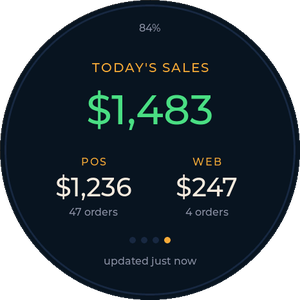
The Etsy view reads from a small service that holds the shop's Etsy authorization, the same way any app connected to your shop does. Ours runs against our own shop. The service's code is in the repository if you want to see how the numbers are worked out. The same dial can also show live market-day sales from FairKeep (our craft-fair vendor app), which is the easiest way to get one running for your own shows.
The Bottom Line
You don't need a gadget to learn the main lesson here. Gross and "after fees" are very different numbers, and the gap between them is mostly fees that aren't attached to any single order. Know which number you're looking at before you decide a month went well.
The term 'Etsy' is a trademark of Etsy, Inc. This application uses the Etsy API but is not endorsed or certified by Etsy, Inc.